Cybercriminals are getting more creative, and one of the latest tactics is catching people off guard because it looks so familiar. Attackers are now using a fake Windows Security Update screen inside a web browser to trick users into installing malware themselves.
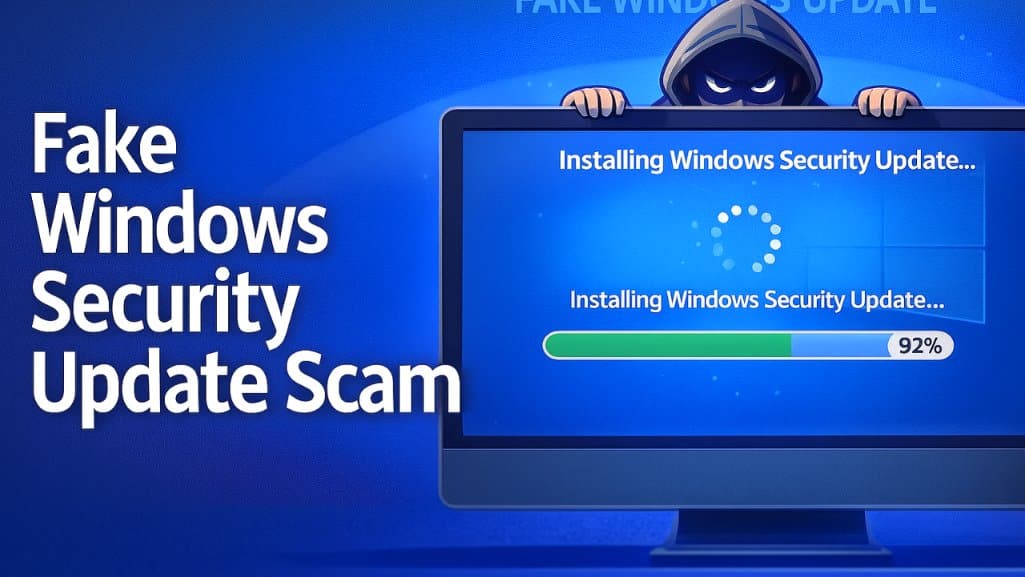
This fake Windows update screen scam is surprisingly convincing, which is why it’s spreading quickly. Here’s what you need to know, in plain language.
What Is the Fake Windows Update Screen Scam?
A malicious website displays what looks like a real Windows update screen — same colors, same progress bar, same general layout. The entire goal is to make you think your computer is simply installing a routine security update.
But once the fake “update” finishes, the page instructs you to press Windows + R and paste a command to “complete the update.”
That command secretly downloads and installs malware.
This isn’t a system update at all — it’s a social engineering attack designed to make victims unknowingly infect their own computers.
Why the Fake Windows Security Update Scam Works
This tactic is effective because:
- It looks authentic. Most people have seen real Windows update screens. This one imitates them almost perfectly.
- It preys on trust. People assume system updates are normal, urgent, and necessary for security.
- It can slip past security tools. The malware is often hidden inside an image file and activated only when the user runs the command, making it harder for some tools to detect.
- Most people don’t know how real updates work. Real Windows updates never ask you to run special commands from a website — but many users don’t realize that.
Red Flags: How to Spot a Fake Windows Update Screen
- The “update” appears inside a browser tab instead of the normal Windows Update window.
- You are asked to press Windows + R or open a command prompt or PowerShell window.
- The page tells you to copy and paste a long or unfamiliar command.
- There are spelling mistakes, odd wording, or a strange website address in the URL bar.
How to Protect Yourself from Fake Windows Update Malware
Here are simple rules anyone can follow to stay safer:
- Never run commands because a website told you to. Legitimate Microsoft or Windows updates never require you to paste anything into the Run box, PowerShell, or Command Prompt.
- Close suspicious “update” pages immediately. If an update message appears inside your browser, it’s fake. Real Windows updates only appear through Windows Update, not Chrome, Edge, or any other browser.
- Update your system manually. If you’re concerned something might be real, open your Start menu, go to Settings > Windows Update, and check for updates yourself.
- Use basic security tools. Antivirus software, browser protections, and popup blockers can stop many malicious sites — but nothing replaces awareness and a cautious mindset.
What Should You Do If You Clicked on a Fake Update?
If you think you may have followed the instructions on a fake Windows security update page:
- Disconnect from the internet if possible.
- Run a full antivirus or anti-malware scan right away.
- Change passwords for important accounts, especially online banking and email.
- Consider having a trusted IT professional review your device.
A Simple Takeaway
Hackers have realized it’s easier to trick people into installing malware than to break through defenses directly. This fake Windows update screen scam works because it blends into the everyday experience of using a computer.
Staying safe doesn’t require deep technical knowledge, just healthy skepticism. If something feels unusual, pause before clicking or typing.
A real Windows update will never come through your web browser.
If you ever have questions about suspicious transactions or protecting your accounts, People Driven Credit Union is here to help. Visit our Contact Us page to get in touch.

Brian M. Howell
Chief Strategy Officer & Chief Information Security Officer
Brian Howell – LinkedIn
People Driven Credit Union is committed to helping our members recognize and avoid scams. Learn how to safeguard your identity and report fraud before it causes lasting damage.
Fake Windows Update Screen Scam – FAQs
Can a real Windows update appear in my browser?
No. Genuine Windows updates are managed through the Windows operating system, not a website. If something claiming to be a Windows update appears in your browser, close the page.
Is it safe to click “Update” on random pop-ups?
No. Only install updates from trusted sources — for Windows, that means using the built-in Windows Update settings, not third-party pop-ups or ads.