If you’ve ever wondered, “Am I carrying too much monthly debt?” you’re not alone—and now you’ll have a quick way to see it. Starting January 13, 2026, a new Debt-to-Income (DTI) module will be available inside the Credit Score experience in the MyPDCU app, powered by SavvyMoney.
What is Debt-to-Income (DTI)?
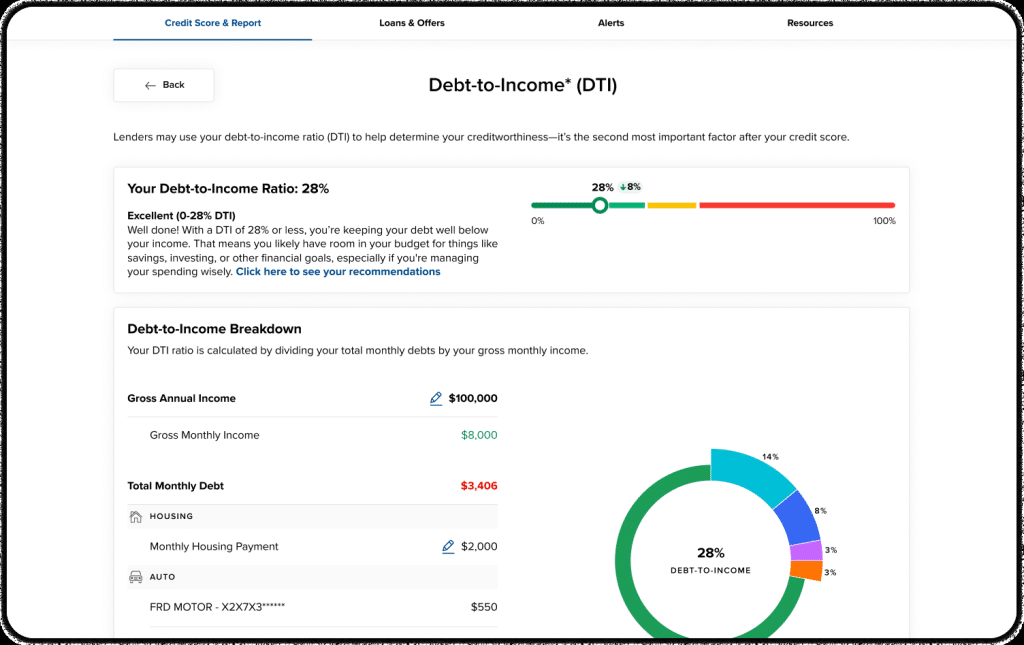
Your debt-to-income ratio compares how much you pay each month toward debt to how much you earn (before taxes). Lenders often consider DTI as one factor when evaluating credit requests because it helps show how much of your income is already committed to debt payments.
How the DTI calculator works
The DTI module calculates your DTI using this formula:
DTI Ratio = (Total Monthly Debt Payments / Gross Monthly Income) x 100
Here’s what goes into the calculation:
- Total Monthly Debt Payments: Monthly payments from credit tradelines on your credit report (that have a minimum monthly payment), plus the monthly housing payment you enter.
- Gross Monthly Income: Based on the gross annual income you enter (converted to a monthly amount).
Good to know: Your DTI insights won’t appear until you enter both your income and housing payment.
Where you’ll find it in MyPDCU
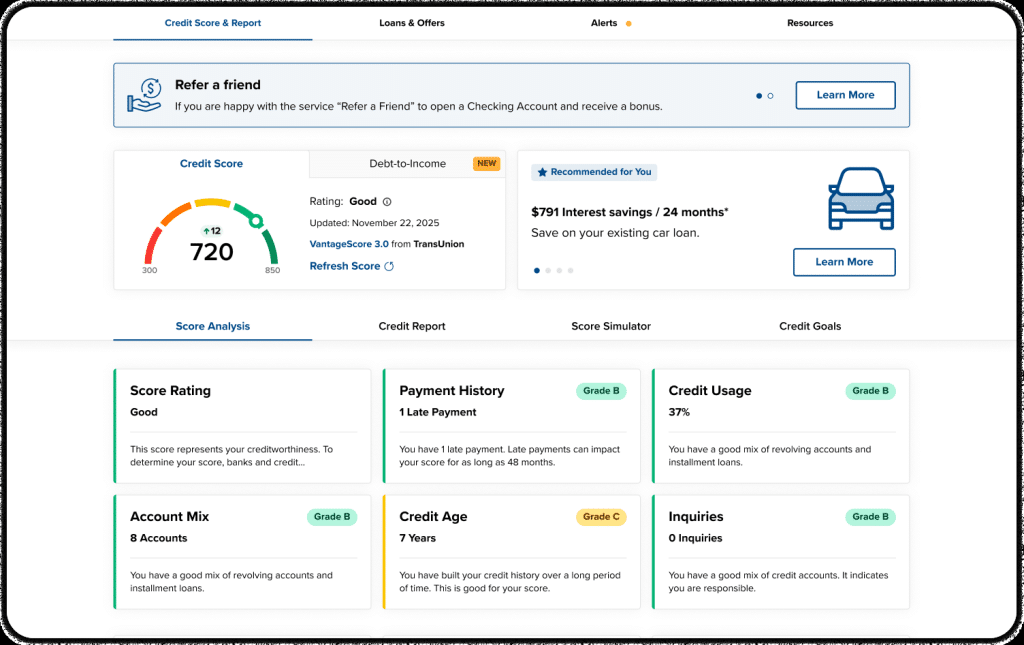
Once the feature is live, the DTI module will show up as a tile on your Credit Score dashboard (right alongside your Credit Score tile).
- Open the MyPDCU app and go to your Credit Score dashboard.
- Select the Debt-to-Income tile and tap “Check your DTI in seconds.”
- Enter your Gross Annual Income and your Total Monthly Housing Payment.
- View your DTI percentage, a DTI rating, and what’s contributing most to your monthly debt.
- Tap “See ways to lower it” for your full breakdown and personalized tips.
What you’ll see (and why it’s useful)
- A clear DTI snapshot: Your DTI percentage and rating at a glance.
- A debt breakdown: A view of debt categories so you can see where your monthly obligations are stacking up.
- Personalized recommendations: Suggestions to help you lower your DTI, paired with educational articles for next steps.
- Progress over time: Your DTI history is saved and updated when a new credit report is generated, so you can track improvement without re-entering every debt payment manually.
Simple ways to start lowering your DTI
Lowering DTI usually comes down to two levers: reduce monthly debt payments or increase income. A few classic, time-tested moves:
- Pay down revolving balances (like credit cards) to reduce what you owe—and potentially your minimum payments.
- Avoid taking on new monthly payments until you’ve hit the DTI range you’re aiming for.
- Look for opportunities to refinance or consolidate (when it makes sense) to simplify payments and potentially improve cash flow.
- Make a plan for “extra payment wins” (even small ones) that reduce principal faster over time.
- Increase income where possible (overtime, side work, negotiating pay)—because income counts in the denominator.
Available on mobile and desktop
The DTI module is designed to work across devices—so whether you’re checking from your phone or a desktop, the experience is fully responsive. :contentReference[oaicite:15]{index=15}
Ready to check your DTI?
Open the MyPDCU app and visit your Credit Score dashboard to find the new Debt-to-Income tile (available January 13, 2026).
Disclosure
This DTI feature is provided through SavvyMoney within the Credit Score experience and is intended for educational purposes. Your DTI is an estimate based on information from your credit report and the details you enter. DTI may be only one factor used in credit decisions, and results do not guarantee approval or specific terms on any loan or credit product.